Feed

My thoughts on education, technology, and the future of work. Pulled from my LinkedIn.

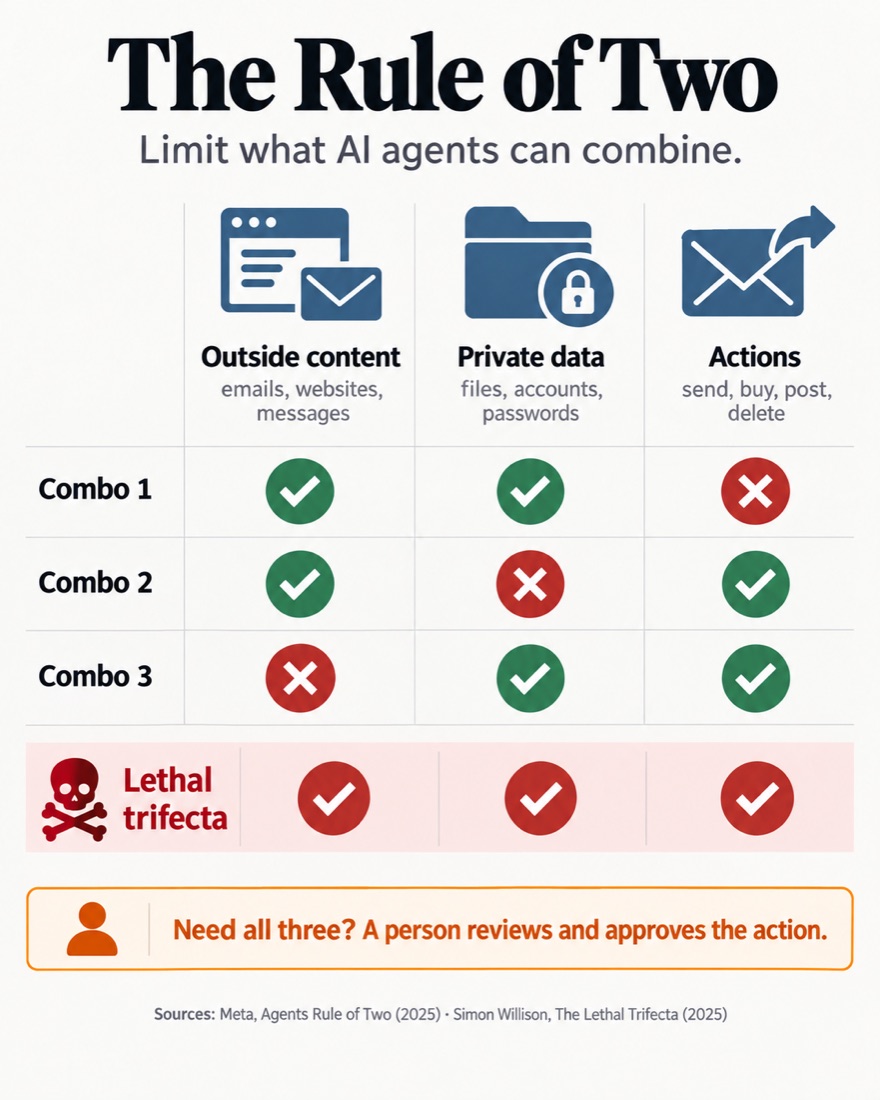
The Rule of Two chart. Three columns: outside content, private data, and actions. Each allowed combination checks two of the three. Checking all three is the lethal trifecta. If a task needs all three, a person reviews and approves the action. Sources: Meta, Agents Rule of Two (2025), and Simon Willison, The Lethal Trifecta (2025).

The Rule of Two

We've spent a decade clicking "I agree" on terms of use we don't read. New AI agents like Meta's Muse, ChatGPT's dots, and Claude Duet ask for what seems like the same thing, but now you're agreeing to let them read the web and your inbox, access your private data, and take actions on their own.

Last year, researchers showed an email could get Microsoft 365 Copilot to leak internal data without the person even opening it (EchoLeak, since fixed). They just asked Copilot a routine question.

For six months I've been following the Rule of Two (see image). When a workflow needs all three, I'm heavily involved and approve the action case by case.

A non-technical essay on the risks and where to start.

View on LinkedIn→
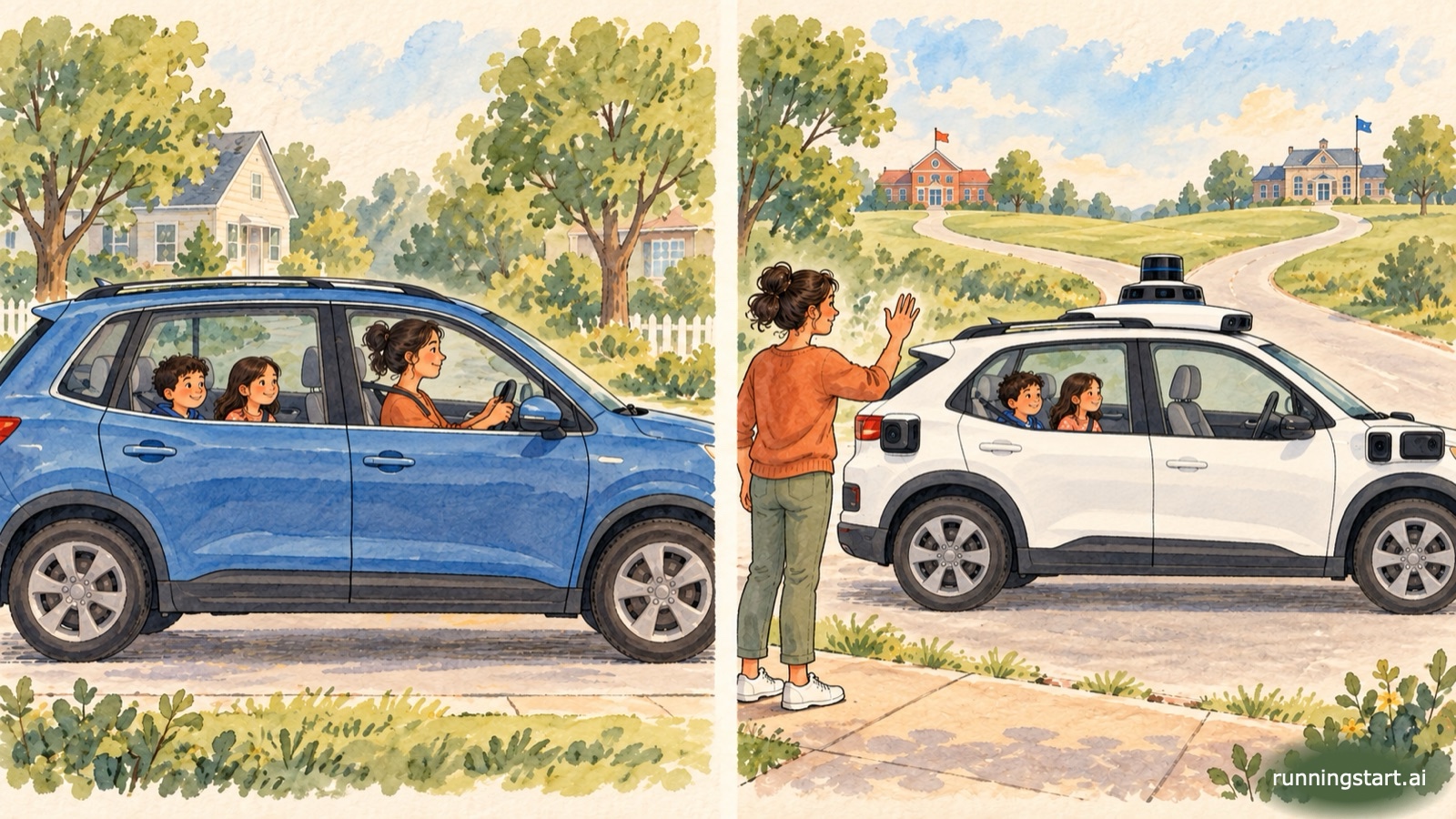
A parent drives two children in a blue car. Beside it, the parent waves as the children ride off in a white driverless car toward two schools.

From Automatic to Autonomous

The car on the left shifts gears for you. The car on the right drives your kids to school for you. That's the leap technology has made, from automatic to autonomous.

That kind of change makes it difficult to do things like update an AI acceptable use policy, the rules for how staff can use AI at work. You can't just add a few lines to an existing policy and refresh the annual information security training. Policies will have to become living documents that everyone helps maintain.

A daunting challenge, but there's an opening. Muse, Meta's new agent that promises to lower your bills and book your travel, hit the top of the App Store. People want to know what these tools can do with their own data and credit cards. That's the foundation for what they need to know at work.

I wrote an essay on the risks, in plain English, and where to start.

View on LinkedIn→

Behind the Avatar

Meta's Muse works so well you'd think there was a major AI breakthrough. Mostly, it's about how much is going on behind that adorable little avatar that greets you.

Microsoft and OpenAI are rolling out their own versions, so agents are more than just a trending app. I made a short video for anyone trying to make sense of them and why your AI policy probably needs an update.

View on LinkedIn→
A K-shaped split rendered as a photograph. From a single point beside a glass tower, two curved floors branch apart. The upper one rises into a home office where a man works at a wall of monitors full of code and notes. The lower one falls away into a train car and a cafe where people sit alone looking at their phones.

The Knowledge Canyon

I think too much sci-fi has us stuck speaking with the wrong verb tense when we talk about technology's impact on work, education, etc. In casual conversation it's future or conditional, when it should be present tense.

We also skip the current history, where humans and machines work together to solve (or worsen) problems.

People are already using AI tools to augment their intelligence. They aren't plugged in directly, but they have the know-how to turn these tools from a simple chatbot into reliable thought partners and workhorses.

The old digital divide was about access. Who had a computer, who had internet. This growing knowledge canyon is harder to see, because two people can have the same tab open and be doing entirely different things with it. Similar to K-shaped recovery in economics. Same starting point, two branches, and the distance keeps growing.

...so, how do we stay informed and maintain domain expertise as that gap widens?

Here's one place to start this week. Use the coworker feature of whatever LLM you currently use (Claude Cowork, ChatGPT Work, Copilot Cowork). Give it the outcome you want and an example instead of just a question, and let it work. If you aren't happy with the results, try to figure out how you can provide more context and better examples. You'll start to shift from seeing it as an inconsistent intern to a colleague you can actually assign real work to.

You still set goals and verify its results. Human in the lead, not just kept in the loop.
View on LinkedIn→

One note on the image: I prompted ChatGPT to have the lower branch trending slightly down rather than flat. This is an oversimplification, of course. I wrote about it earlier, the relationship between effort and cognitive atrophy.

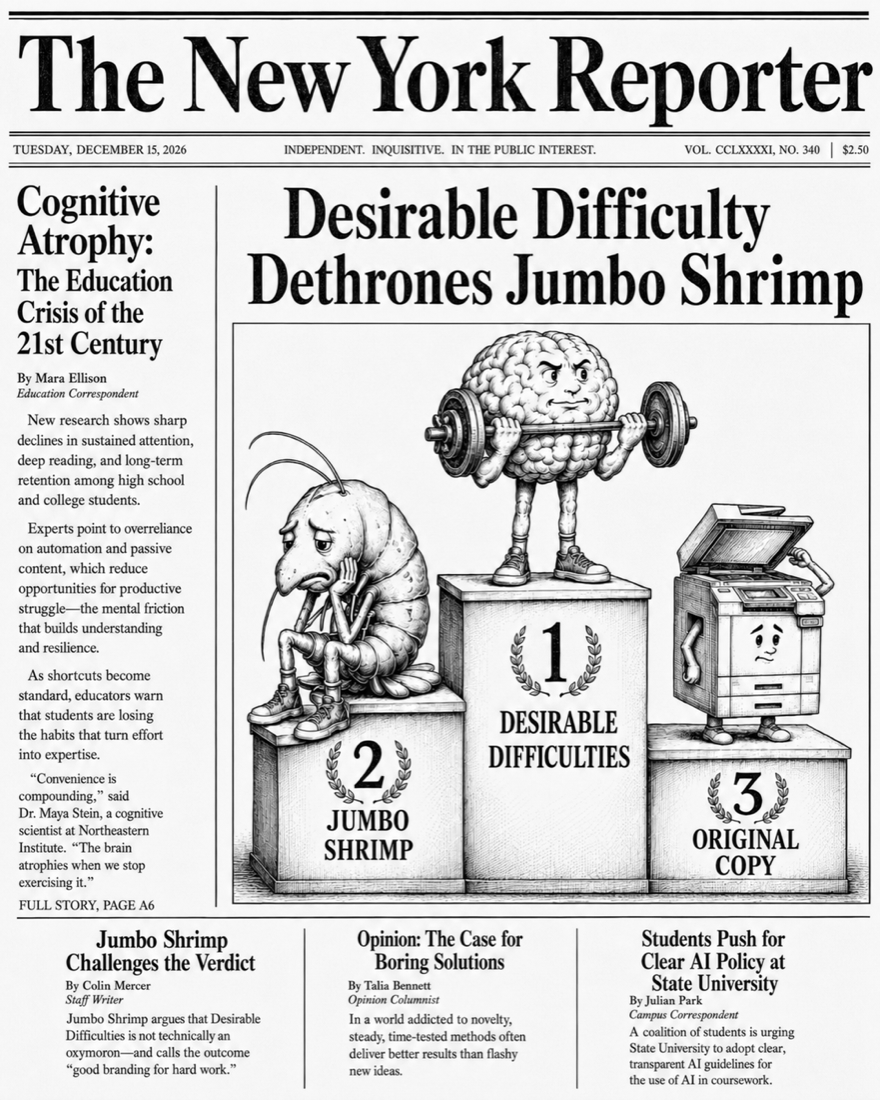
Satirical newspaper front page headlined Desirable Difficulty Dethrones Jumbo Shrimp. A muscular cartoon brain lifts a barbell on the first-place podium, a glum jumbo shrimp sits in second, and a photocopier labeled Original Copy stands in third. A side column is headlined Cognitive Atrophy, The Education Crisis of the 21st Century.

No Pain No Brain

The risk of AI eroding our knowledge and skills is getting more attention lately. When we delegate too often, we atrophy.

The quieter risk is that some may never build the foundational knowledge needed to check AI output. You can't verify what you don't understand.

Bjork's "Desirable Difficulties" is the antidote. We accept no pain no gain for building muscle. Maybe no pain no brain?

View on LinkedIn→ Effort and Atrophy The longer piece, on the cost of moving from search engine to answer bot
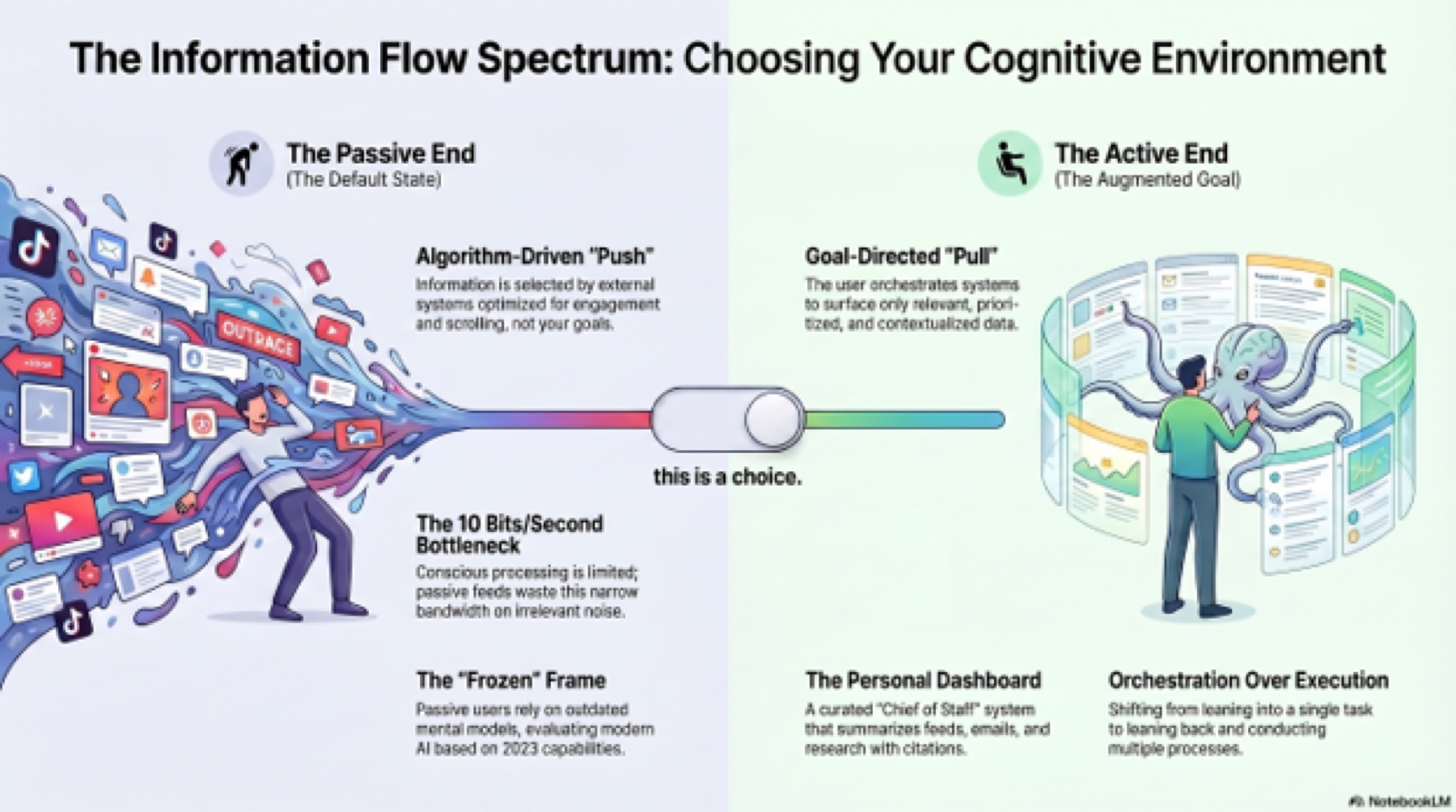
Infographic titled The Information Flow Spectrum. On the passive end, algorithms push a flood of social media at an overwhelmed person. On the active end, a person merged with an octopus orchestrates a curved dashboard of curated, prioritized panels.

Your Feed Needs a Chief of Staff

Agentic AI offers a chance to move from TikTok-passive, where algorithms dictate our attention, to more of a chief-of-staff relationship, where you design the inputs and set the information stream's goals.

Why the octopus in the image below? I made it by dumping tangentially related notes into NotebookLM (now Gemini Notebook). In one of them, I compare human-computer interaction to the distributed cognition of an octopus.

View on LinkedIn→
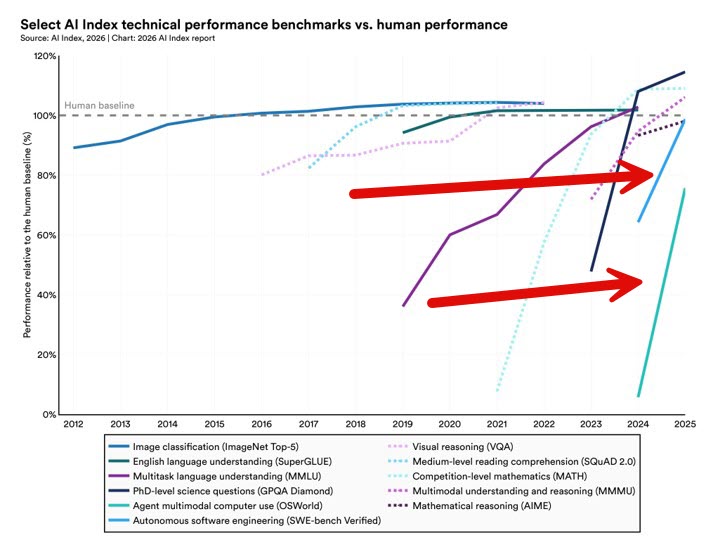
Chart from the 2026 Stanford AI Index Report showing AI performance shifting from discrete tasks to multistep goal completion

The Chart Behind the Hype

This updated chart from the 2026 Stanford AI Index Report shows why the AI hype train hasn't slowed down. Machines have gone from reaching human-level performance on discrete tasks (e.g., image classification) to approaching it on multistep goals through coding and computer use.

View on LinkedIn→ 2026 Stanford AI Index Report hai.stanford.edu
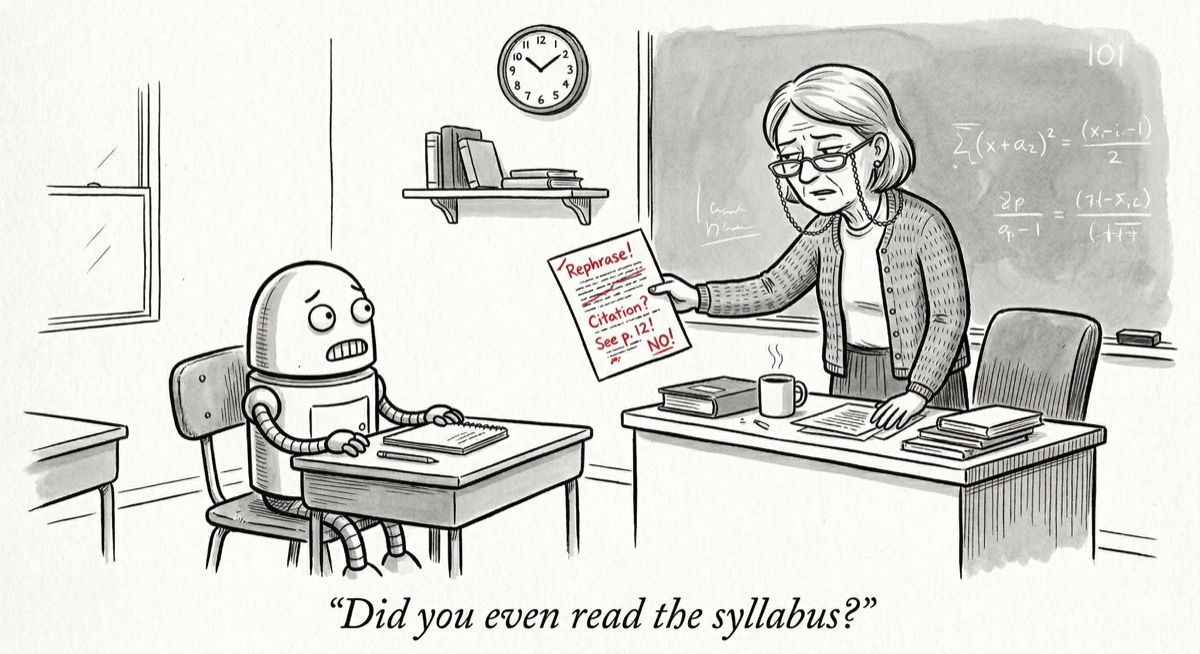
Cartoon of a teacher showing a marked-up paper to a robot student, captioned: Did you even read the syllabus?

From Prompts to PRDs

Getting the most out of powerful "agentic" AI tools means spending more time specifying your requirements, not just describing what you want in a prompt. It's the difference between giving a student an essay question to answer in class and providing them a packet to take home with detailed instructions, an example of a high quality essay, and a rubric to self-assess before turning it in.

To get started, ask whatever tool you use to help you write a product requirements document (PRD).

View on LinkedIn→
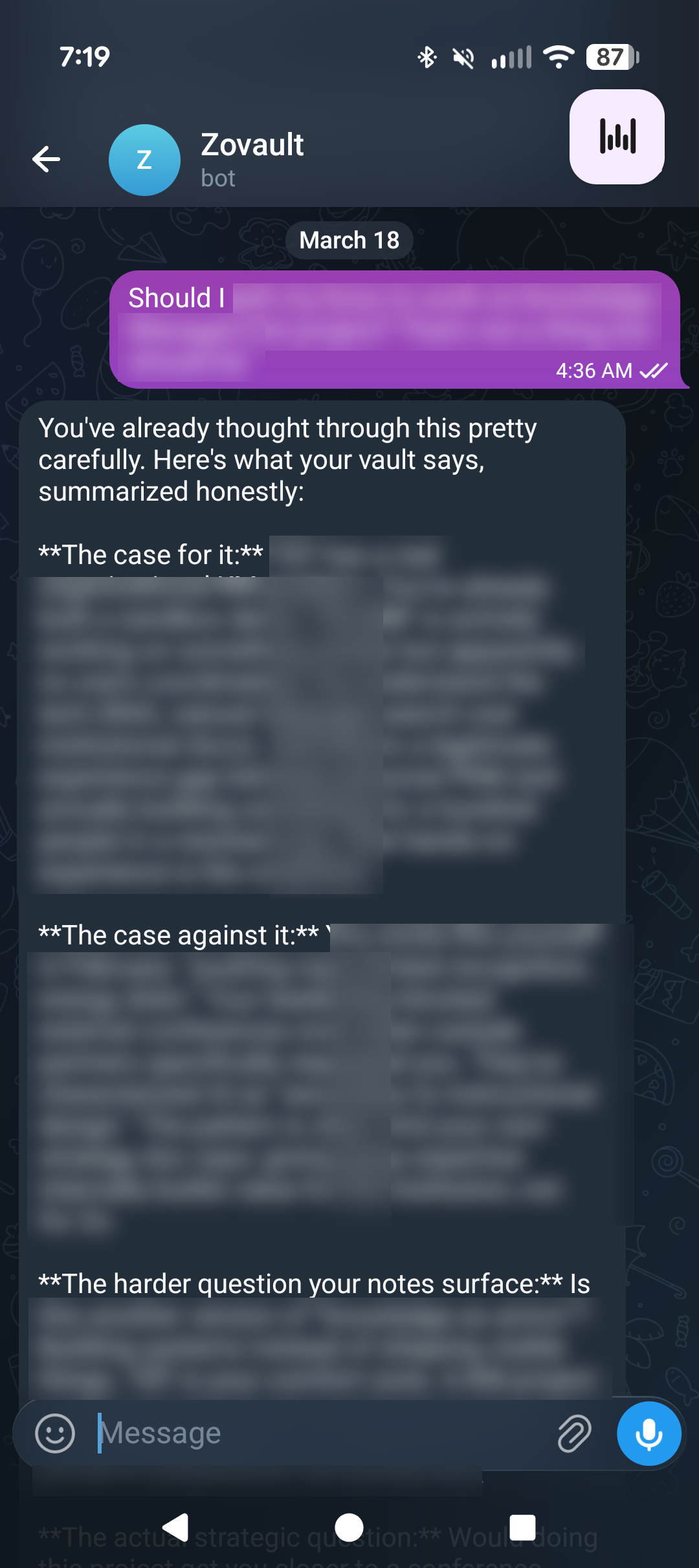
Screenshot of a Telegram conversation with a Zovault bot responding at 4:36am

Your Best Thinking Is Trapped

It's 4:30am and I text my knowledge vault about a problem that won't let me fall back asleep. It pulls from several notes I wrote months apart and surfaces an answer I didn't know I already had. By 4:45, I've texted a new insight to my vault and moved on.

A few years ago you'd need a developer to string together this type of "second brain." Now it's just an AI assistant and a weekend.

Most people's best thinking is trapped in old notebooks and scattered across forgotten docs. Same goes for organizations.

[For the curious, the stack: Zep AI for the knowledge graph. Claude for reasoning, grounded in my own notes which are in an Obsidian vault synced across devices via Google Drive. Telegram chat for access to where it all lives, an old Dell in my living room.]

View on LinkedIn→
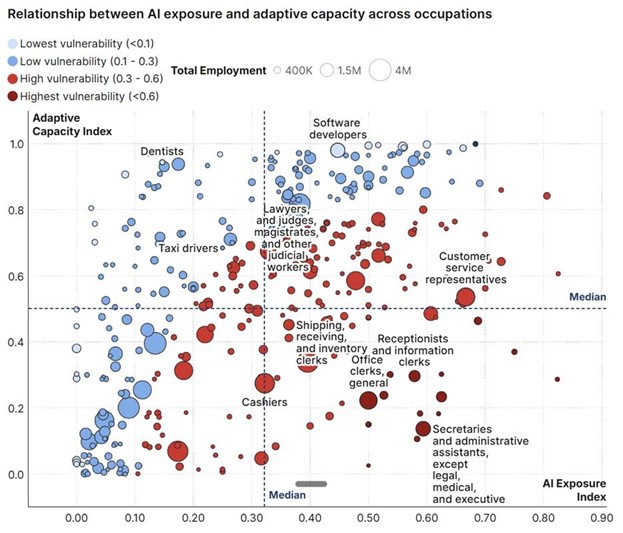
NBER research paper on AI job displacement

The Workers Most at Risk

Of the millions of jobs that will be displaced by AI, the most at risk are low-paying administrative titles. These workers are more likely to have little savings, fewer transferable skills, and therefore limited opportunity to pivot.

UBI and other safety nets are a long way off. We need to prioritize financial literacy in (re)training programs.

[Here's the version I gave my nephew that actually stuck. Figure out two numbers: earnings vs. spending. Make sure the former is larger than the latter. Download an app like You Need A Budget (free year for students). And if you or someone you know is check to check, visit 211.org for free local resources.]

6.1 million American workers are both highly exposed to AI and least equipped to adapt if their jobs get disrupted. Overwhelmingly clerical and administrative roles. 86% women.
— "How Adaptable Are American Workers to AI-Induced Job Displacement?" National Bureau of Economic Research

View on LinkedIn→
Alterego telepathic wearable interface demo

Telepathic Interfaces

Even if this "telepathic" tool only works half as well as the demo, it would have amazing potential for accessibility. And for anyone dreaming of getting rid of their mouse and keyboard (without surgery).

Introducing Alterego: the world's first near-telepathic wearable x.com/alterego_io
View on LinkedIn→

The AI Tradeoff

The AI tradeoff: productivity up, knowledge down.

I'm referring primarily to an overreliance on AI when doing research. Soon, we'll all have access to tools like ChatGPT's agents, which can conduct deep research and create presentations. How will a student (or employee) handle Q&A if they were barely involved in the research and development of the content?

It will be tempting to delegate everything, but people need to be aware of the tradeoff. Emphasize it during AI literacy training when discussing other caveats and limitations (bias, hallucinations, data privacy, etc.)

Introducing ChatGPT agent: bridging research and action openai.com
View on LinkedIn→
McKinsey: Why agents are the next frontier of generative AI

The Future of Work Is Agentic

McKinsey's AI Agents primer breaks down what's starting to happen and what's next (34-min podcast or full read).

HR + IT converging to develop and train a hybrid human–AI workforce.

Org charts → work charts.

Just needs one small but important edit: from "humans in the loop" to "humans in the lead."

View on LinkedIn→
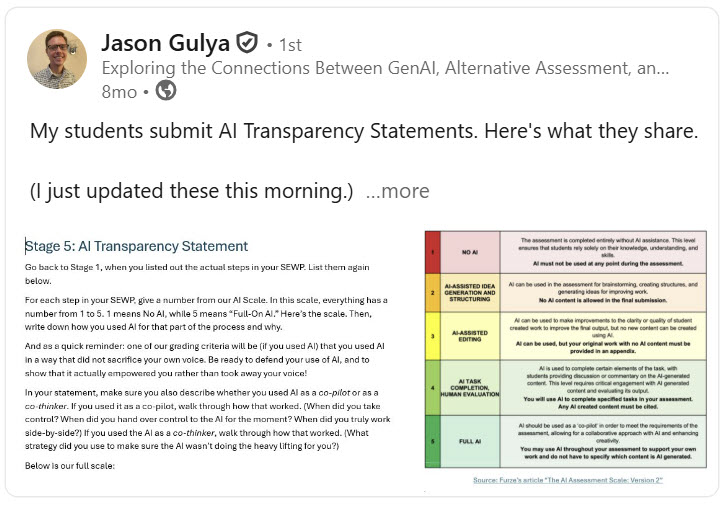
Jason Gulya's post on AI Transparency Statements

AI Transparency Statements

Here's a great approach to AI transparency. Think more along the lines of "show your work" instead of "stop cheating."

View on LinkedIn→
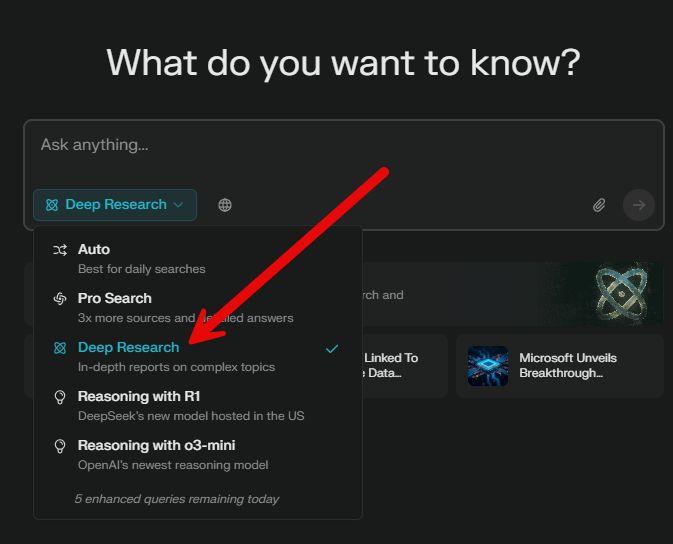
Perplexity AI Deep Research interface

Teaching Students to Work With Machines

"We have to teach students how to work with machines that are smarter than them. Figuring this out is the only conversation that matters, and there is no magical solution to it." —Stefan Bauschard

If you've yet to use a model that explains its "thought" process and grounds the results in sources, go to perplexity.ai and select "Deep Research"

How Do We Teach Students to Work With Machines Smarter Than Them? stefanbauschard.substack.com
View on LinkedIn→
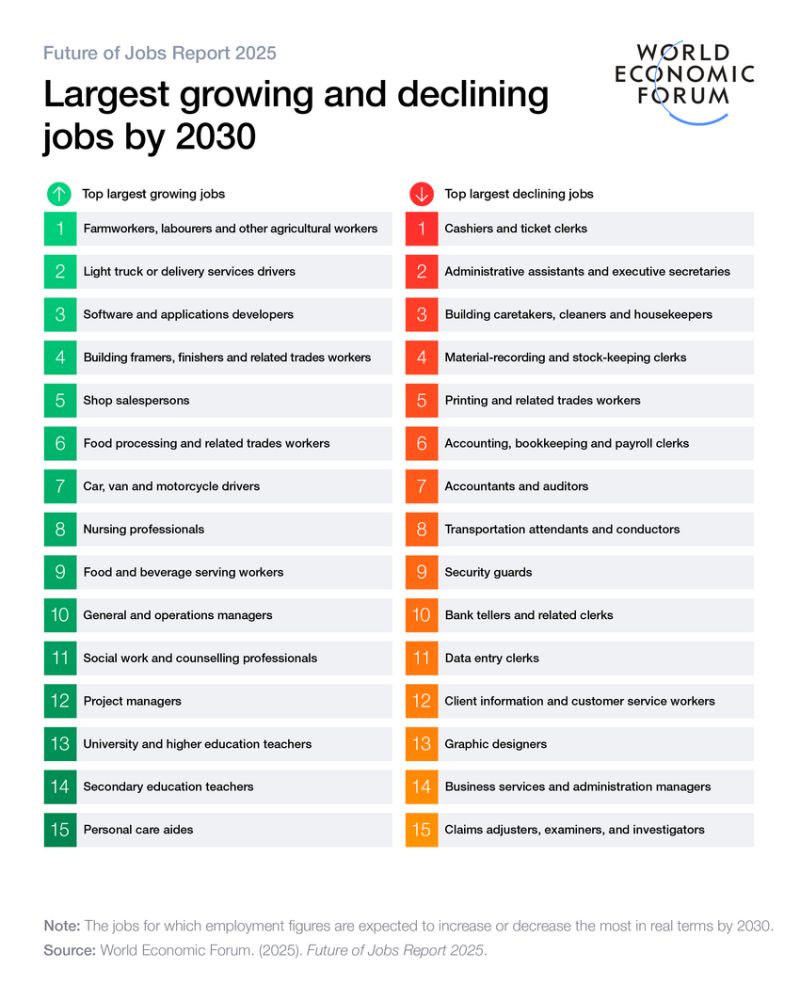
World Economic Forum Future of Jobs Report 2025

2025 Future of Jobs Report

The infographics are worth reviewing, if not for the data - for design ideas next time you need to make visuals.

The Future of Jobs Report 2025 - Infographics weforum.org
View on LinkedIn→
Google NotebookLM audio overview interface

Phone a Friend

On "Who Wants to Be a Millionaire?" contestants never asked for a help article. They wanted to phone a friend. That's where we're headed with 1-800-ChatGPT (yeah, that's real) and NotebookLM's podcast-style audio overview, which now allows you to jump into the conversation and ask questions. (NotebookLM is now Gemini Notebook.)

The latter is a step closer to what we'll want to see because it's grounded in the resources you upload - just as firms will connect to their knowledge base. Aside from the beauty of getting the exact answer you need, when you need it, consider the efficiency: Our typing rate vs. our speaking rate of 150+ words per minute.

Many companies already offer solutions like this - it's just become much easier to create, host, update, etc. these types of tools now. And this all points to the question: Is the training even needed if quality, just-in-time information is so readily available?

Gemini Notebook notebook.google
View on LinkedIn→
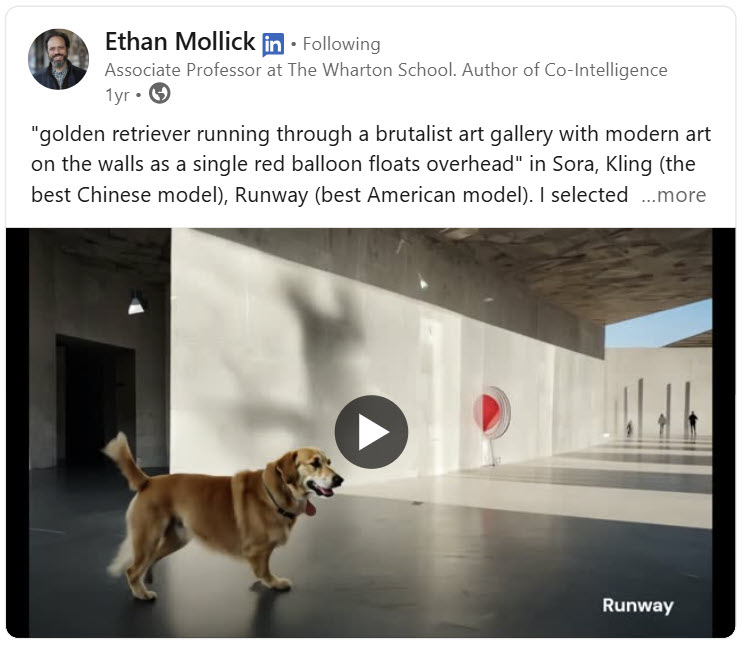
OpenAI Sora text-to-video generation example

Sora: From Toy to Tool

There was nothing like Sora when OpenAI first announced it 10 months ago, but now there are several comparable text-to-video generators. See comparisons in Ethan Mollick's post below. You'll need the pro upgrade ($200/month) if you want to upload reference images. That's where this shifts from being a toy to a practical tool.

View on LinkedIn→
Microsoft AI business transformation examples

200+ AI Use Cases

200+ examples of businesses leveraging Microsoft's AI-powered tools, each linked to a full-page vignette. I'm not sure if I'm more impressed with the marketing or the actual use cases.

View on LinkedIn→
SIFT method for evaluating online information

The SIFT Method

Detecting fake images, videos, and other disinformation is nearly impossible. Instead of searching for inconsistent shadows or an eleventh finger, try the SIFT method.

View on LinkedIn→
Microsoft Copilot AI agents

AI Agents Need a Rebrand

AI "Agents" are barely a thing and already need a rebrand. Actually, it's fitting that "real estate" or "CIA agent" comes to mind—it highlights both the potential benefits and risks.

Microsoft's new AI "agents" are like a powerful, user-friendly upgrade to Power Automate. You'll see some polished use cases in the video, which aim to show a clearer path to ROI than their existing Copilot upgrade. Anthropic's latest release is a bigger leap, with the AI acting like a human clicking through websites to complete tasks - called robotic process automation (RPA). Imagine asking, "Buy me round trip tickets to Puerto Rico (no Spirit Airlines)," and it's done.

Spoiler: It can't do that consistently. . . yet.

Why can't the robot skip the clicking and just buy the tickets directly on the backend? While possible on some sites, the web isn't built for that. . . yet.

View on LinkedIn→
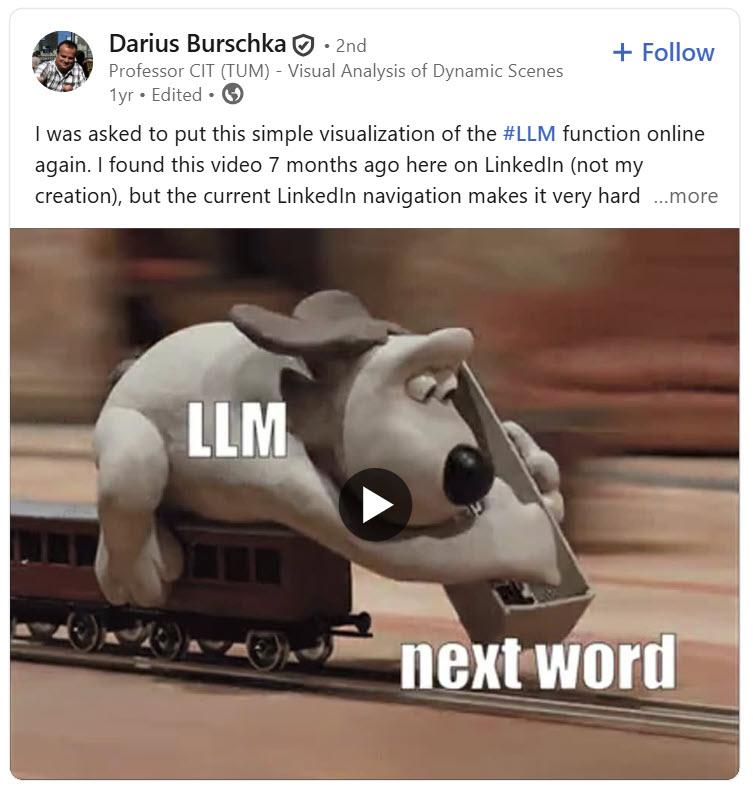
How LLMs work vs traditional search

Google vs. ChatGPT

Yesterday, someone asked why ChatGPT doesn't return full PDFs like you'll find in Google results.

Key difference:

  • Google searches the Internet for existing content.
  • Large Language Models create content in real time.

I wish I had this visual at the time.

View on LinkedIn→
Research on syllabi alignment with workforce skills

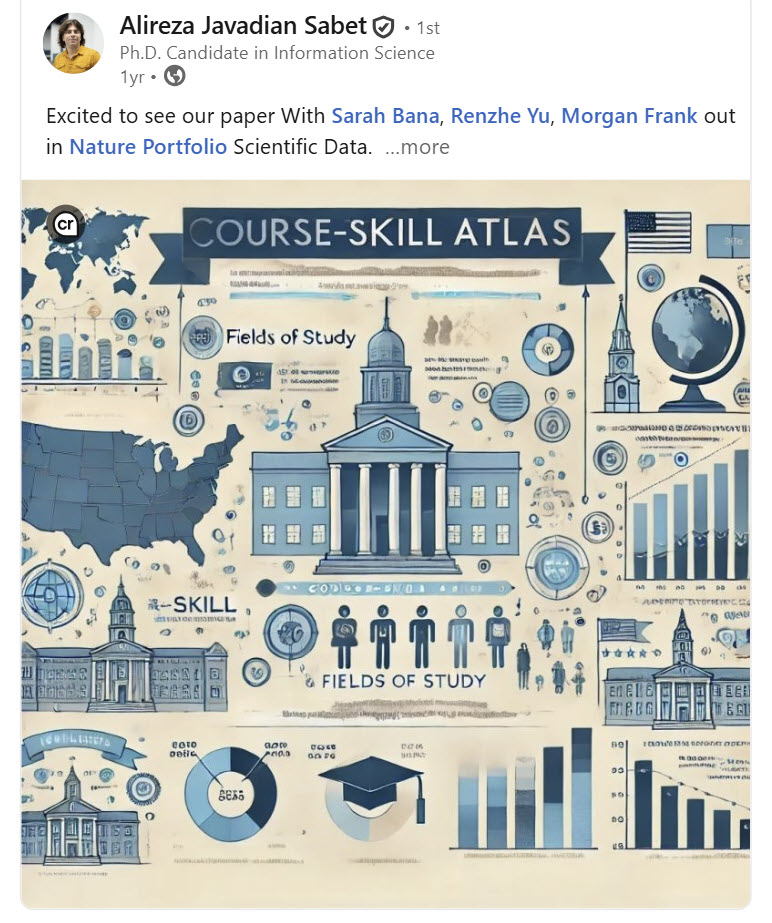
3 Million Syllabi

3,000,000 syllabi & US Dept. of Labor Data

Using natural language processing, this research aligns syllabi with workforce skills (from O*NET), showing the extent to which higher ed meets labor market demands.

Much, much more to unpack. See Alireza Javadian Sabet's comments for a few of the charts and key takeaways.

View on LinkedIn→
Learning to ride a bike as metaphor for learning AI

No One Taught You How to Ride a Bike

No one actually taught you how to ride a bike, and no one is going to teach you how to use AI.

Because no one can teach you how to balance on a bike (you need to feel it), and no one can teach you what AI can and can't do (you need to feel it).

Someone did encourage you to ride the bike and gave you the basics (pedal, don't fall over).

So, here's some encouragement and the basics for AI (use it, don't anthropomorphize it).

Next steps:

  • Subscribe to ChatGPT Plus: $20 (that's your bike)
  • Try live voice with the phone app
  • Use the new Canvas feature
  • Switch to Preview 01 and challenge it with a STEM question
  • Build your own custom GPT (you can do it!)

Not sure how to do any of those steps? Ask ChatGPT. Use AI to learn AI.

View on LinkedIn→

I Made a Podcast With One Click

I hadn't planned on making a podcast about AI and the Future of Work, but here we are.

With Google's NotebookLM (now Gemini Notebook), you upload files, and it will summarize, create study guides, FAQs - and now it can even generate podcasts.* I tested it with three files: the US Bureau of Labor Statistics' employment projections (Aug 2024), the International Monetary Fund's report on AI and the future of work (Jan 2024), and JFF's AI-Ready Workforce (Nov 2023).

The result? A 19-minute podcast created with one click using the 'Dive Deep' feature. Just listen to the first few minutes to hear the conversational tone and how it pulled key points from the reports.

This would be much more useful if it could be edited. I'd cut it down to 10 minutes, for example. Even in its current form, it's a great teaching tool. Students could read the source files and then evaluate the AI-generated podcast.

*This is an example of Retrieval-Augmented Generation (RAG), where AI generates content by referencing specific documents you provide. Why use RAG? Usually chatbots like ChatGPT or Gemini generate responses from a massive general knowledge base. RAG, by contrast, ensures the output is more accurate and relevant by pulling only from the documents you upload. This makes it incredibly useful for research, where accuracy and staying true to the source is critical.

View on LinkedIn→
Back to school with no AI guidance

Returning With No AI Guidance

Returning for the 2024-2025 academic year with little to no guidance? A friend is facing this. After a week of PD, with no clear AI policies or training, the district has defaulted to an abstinence-only policy. Risky.

If you're in a similar situation and not sure where to start:

1. Give students guidance. Saying, "Don't use AI" is not realistic. They are already using it. You'll just get shadow use, and AI detection tools are inconsistent at best.

2. Encourage transparency:
a) Require citations (MLA's AI guide)
b) Consider a "show your work" approach, similar to how math instruction adapted to calculators. For example, if you allow them to brainstorm using ChatGPT as part of the writing process, students could provide screenshots of (or links to) the chatbot conversation.

For more:

View on LinkedIn→
TeachAI.org resources for responsible AI in education

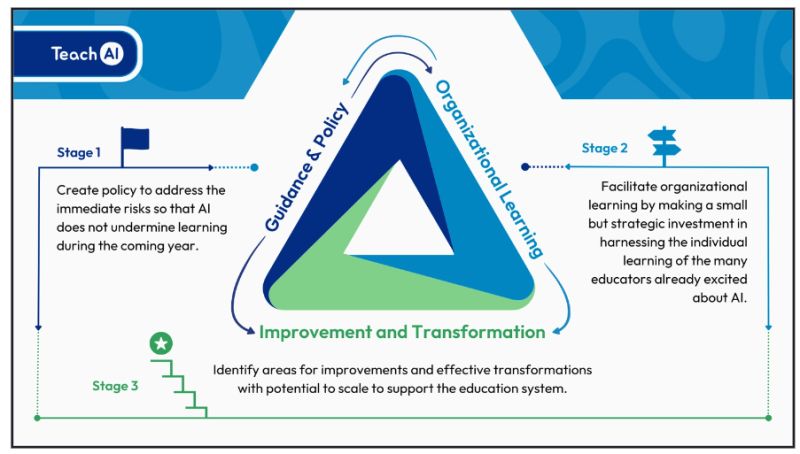
TeachAI

Explore TeachAI.org: great resources on responsible AI use in education. Geared toward K-12 but adaptable for any educational setting. Toolkits include editable presentations, policy briefs, letters to instructors, etc.

View on LinkedIn→
Lindy.ai agent use case

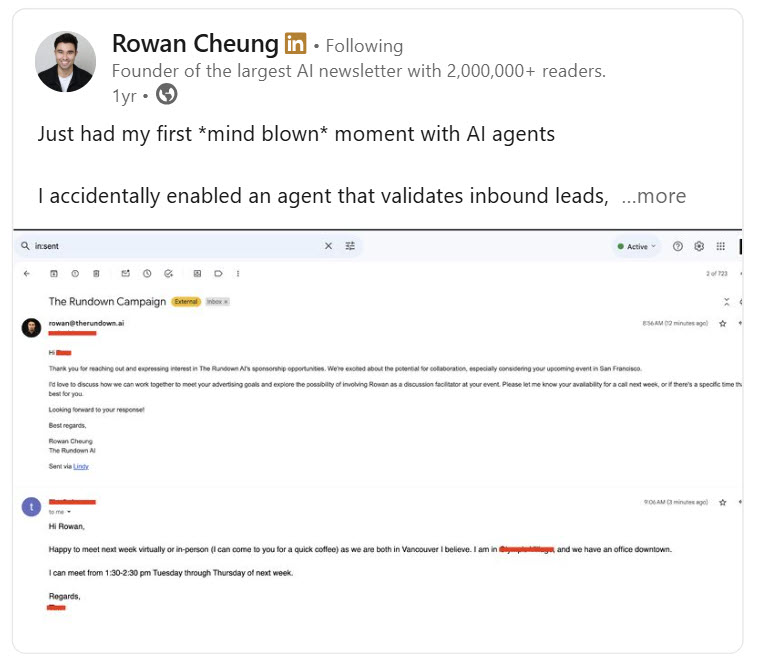
Mind-Blown Moment With Lindy

A great use case for AI agents, with a cautionary note - Rowan accidentally enabled it before finalizing everything. Tool used: lindy.ai

View on LinkedIn→
Kling AI text-to-video generation of boy walking on the Moon

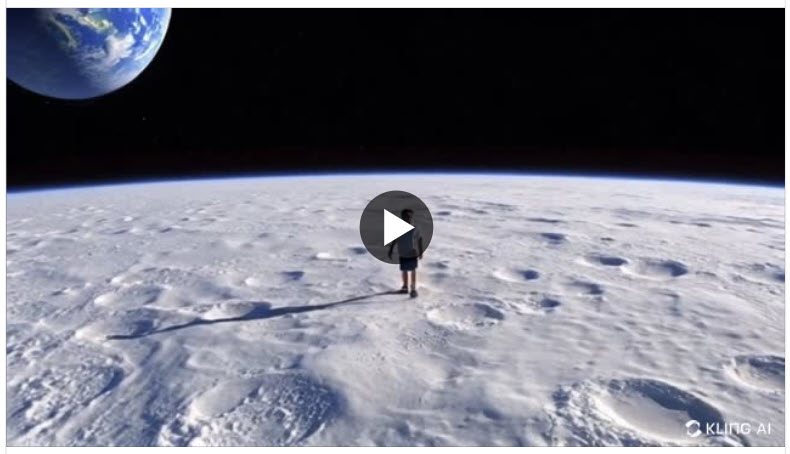
Walking on the Moon

While we continue to wait for OpenAI to release Sora, you can try Chinese-based Kling's text to video: klingai.com

My Prompt was: "A boy walking on the Moon wearing shorts and a t-shirt. The Earth is in the background."

View on LinkedIn→
Claude Artifacts quiz example

Claude's Artifacts Feature

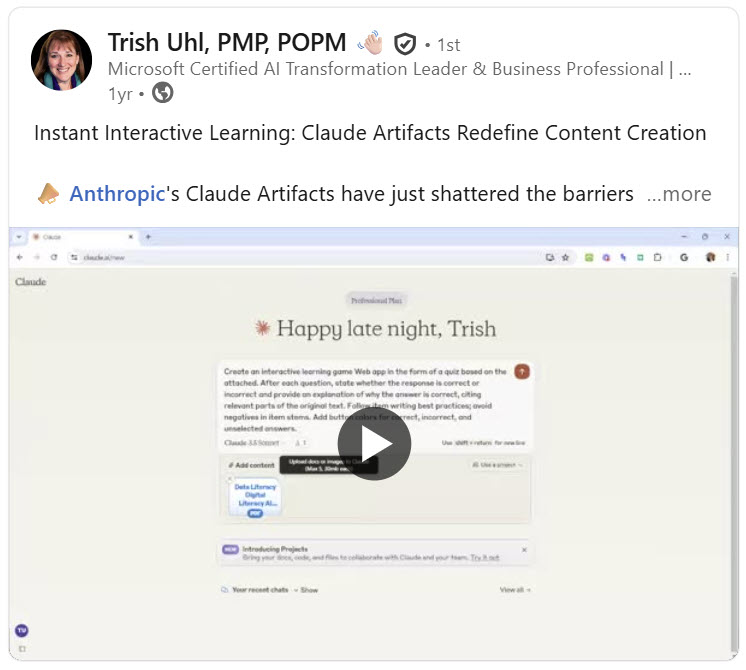
If you haven't yet, try using Claude's Artifacts feature. It's available on the free version, but might need to be enabled. Start your own or try out this quiz I made after watching Trish Uhl, PMP's video.

Be sure to click "Remix" on the bottom right to customize it. Ask Claude to switch the topic, the language, paste in your own questions, etc.

I've found a few directories, but there aren't too many on there yet: claudeartifacts.com

View on LinkedIn→
AI agents demo using multiple chatbots as a team

AI Agents Demo

AI Agents Demo. Using multiple chatbots as a team to achieve a goal rather than using one to complete a simple task.

View on LinkedIn→